.webp)
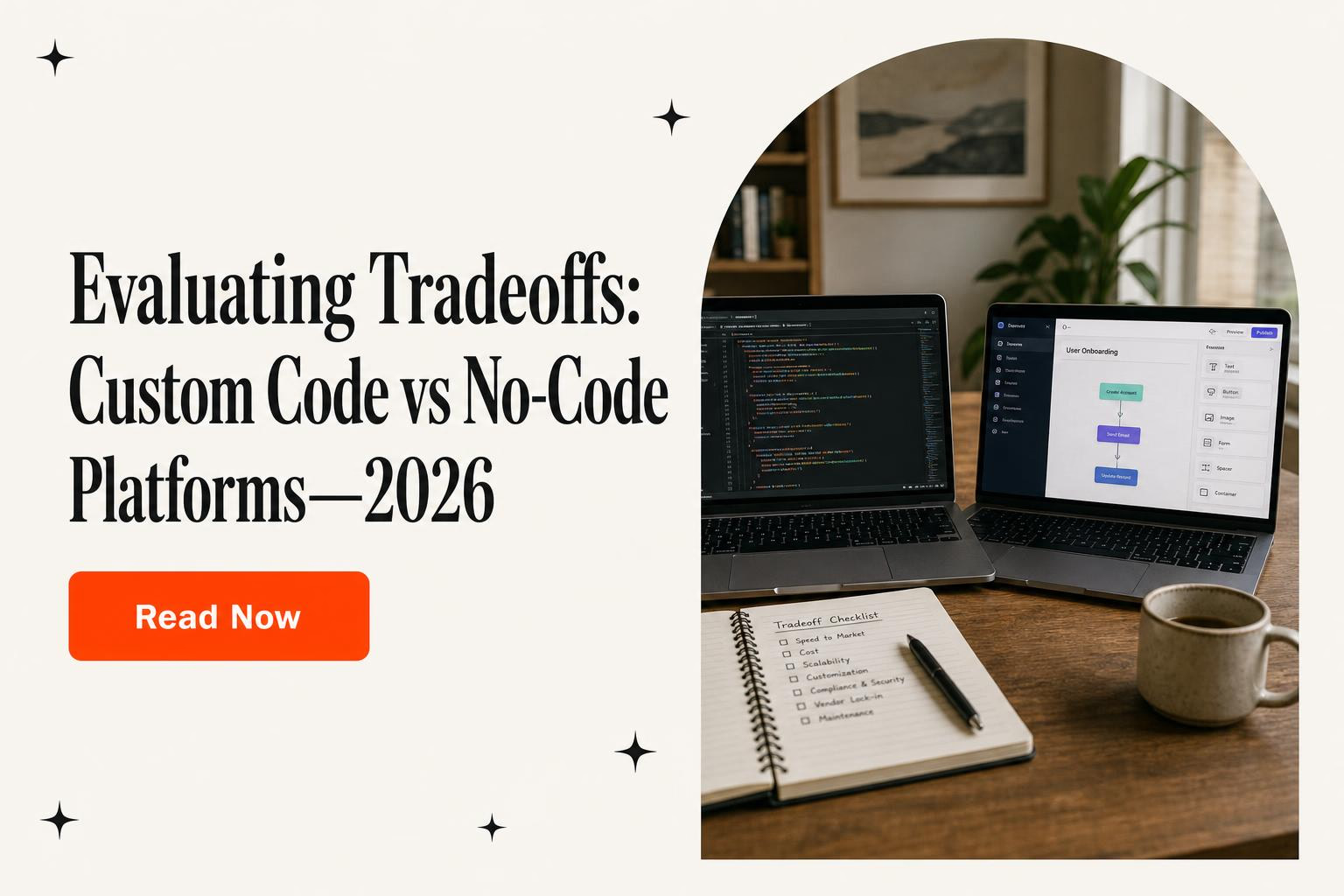
Custom code vs. no-code: A decision framework for production software
Compare custom code and no-code for production software using governance, portability, operating constraints, exit triggers, and migration evidence.
Last substantive review: August 2026.
Choosing between custom code and a no-code platform for production software is not a contest between “fast” and “serious.” It is a decision about which operating constraints the company is willing to accept in exchange for which capabilities. The answer can differ by product surface: a marketing site, internal approval flow, customer portal, transaction engine, and device-control service do not need the same platform.
This guide starts after that broader decision. If the unresolved question is whether to build, buy, or repair a business system at all, start with Horizon Labs’ custom software decision guide. Here, assume a team has already identified software worth operating. The work is to decide what no-code may own, what should remain custom, how the system will be governed, and what evidence would trigger an exit.
The decision is an operating model, not a technology identity
“No-code” covers very different products: visual application builders, workflow automation services, site builders, database-backed internal tools, and industry-specific platforms. “Custom code” is equally broad. A maintained service with automated tests and clear ownership is not equivalent to an undocumented script assembled by a contractor. Comparing categories in the abstract hides the facts that determine production risk.
Frame the decision as a bounded commitment:
- Scope: Which user journeys, data, rules, and integrations will this platform own?
- Change: Who may alter production behavior, through which review and release path?
- Operation: Who responds to failures, vendor changes, abuse, capacity issues, and data requests?
- Evidence: What tests, logs, audit records, recovery exercises, and contractual terms support the choice?
- Exit: What can be moved, what must be rebuilt, and what event starts that work?
A platform can be a rational choice even with meaningful lock-in. Current UK government guidance on technical lock-in makes the useful point that managed services can reduce operational work and complexity, while switching may become difficult or expensive. The goal is not maximum portability at any cost. It is an explicit trade between value and dependency, with switching cost monitored before it becomes disproportionate.
1. Draw the production boundary before comparing platforms
Start with a one-page workload map, not a feature checklist copied from a vendor page. List the actors, critical journeys, systems of record, external services, sensitive data, availability expectations, recovery expectations, and decisions that require deterministic enforcement. Then mark the boundary a candidate platform would own.
A useful map distinguishes four kinds of responsibility:
| Responsibility | Questions to answer | Typical evidence |
|---|---|---|
| Experience | Which web, mobile, admin, or partner interfaces are included? Are accessibility, localization, offline use, or device constraints material? | Clickable journey, accessibility criteria, browser or device matrix |
| Business behavior | Which calculations, approvals, entitlements, state transitions, or exception paths must be correct? | Rules catalog, acceptance tests, failure examples |
| Data and integration | Which system is authoritative? What are the volume, freshness, residency, deletion, reconciliation, and retention requirements? | Data map, API contracts, representative payloads, retention schedule |
| Operations | Who deploys, monitors, restores, supports, audits, and approves changes? | Runbook, RACI, release policy, recovery test |
This boundary prevents a common mistake: selecting a platform because it demonstrates the happy path, then discovering that refunds, corrections, bulk operations, permissions, reconciliation, or incident recovery live outside the demo. Production fit is often decided by the exception paths.
2. Test the exact product edition against the real workload
Do not score a vendor category. Score the named platform, plan, hosting option, region, add-ons, contract, and configuration the company would actually buy. Capabilities can differ across editions, and an enterprise feature that exists in documentation may not be included in the proposed commercial terms.
Build a short proof with representative data and the least forgiving workflows. Verify:
- Identity and authorization: single sign-on, service identities, role granularity, tenant or business-unit separation, administrative access, and offboarding.
- Data behavior: schema limits, transactions, consistency, attachments, bulk import and export, deletion, retention, residency, backups, and restoration.
- Integration behavior: authentication methods, webhook verification, retries, idempotency, rate limits, queues, long-running work, and reconciliation after partial failure.
- Release behavior: development and production environments, change review, test automation, deployment history, rollback, configuration promotion, and dependency management.
- Operational visibility: logs, metrics, traces, audit records, alerting, data export, and integration with the company’s existing monitoring.
- Commercial behavior: which usage meters drive cost, what happens at a limit, what support response is contracted, and which terms can change.
Use production-shaped tests. If a workflow imports ten thousand records, involves a burst of concurrent users, receives duplicate webhooks, or must recover from an upstream timeout, test those conditions. A page that loads with ten sample rows is not evidence about the operating workload.
3. Treat governance as part of the platform
No-code can broaden who is able to make changes. That can shorten the distance between a business problem and a useful solution, but it also changes the control model. Microsoft’s current Power Platform guidance names security, governance, operations, and availability as adoption pillars; its planning and operations guidance also covers roles and application lifecycle management. Those concerns still matter when the candidate is not a Microsoft product.
Before production, define:
- who can create applications, connectors, automations, environments, and production releases;
- which data classifications may be used in which environment;
- how secrets and connection credentials are created, rotated, scoped, and revoked;
- how a maker’s departure transfers ownership of their applications and service accounts;
- which changes need peer review, security review, or business approval;
- how packages, plugins, templates, and vendor components are evaluated and updated;
- who owns support, incident response, recovery, and vendor escalation.
Separate experimentation, test, and production. Inventory what is running and who owns it. Record changes. Put high-impact workflows under a managed lifecycle even if the editor is visual. A no-code platform does not remove software operations; it moves some responsibilities to the vendor and expresses others through different controls.
Custom code needs the same discipline. NIST’s Secure Software Development Framework is deliberately lifecycle-oriented: prepare the organization, protect software, produce well-secured software, and respond to vulnerabilities. Source-code access is useful, but it does not substitute for ownership, protected build paths, testing, or response capability.
4. Evaluate security and compliance without category shortcuts
No-code is not inherently insecure, and custom code is not inherently secure. A managed platform may provide mature identity, patching, audit, backup, and monitoring capabilities that a small custom team would struggle to reproduce. Custom architecture may provide the isolation, control, integration, or evidence a particular workload requires. The right comparison is the complete deployed system and the shared-responsibility model.
Create a control matrix with three columns: vendor responsibility, customer configuration, and application-team responsibility. Cover identity, least privilege, administrative actions, encryption, key ownership, secrets, network paths, data residency, retention, deletion, vulnerability handling, logging, incident notification, recovery, and supplier access. Attach a source of evidence to every material answer: contract language, current documentation, configuration output, audit report, test, or runbook.
Compliance claims should be scoped to the workload. A vendor certification does not prove the application’s permissions, data flows, retention settings, custom plugins, or operating process are compliant. Conversely, a regulated workload is not an automatic rejection of every managed platform. It means the team must establish that the exact service, contract, region, configuration, and operating controls satisfy its obligations.
5. Measure performance, capacity, and cost together
Ask where the workload is bounded: request duration, database operations, workflow steps, API volume, concurrency, storage, background jobs, scheduled jobs, file sizes, outbound connections, or execution units. Then ask what happens at the boundary. Does work queue, throttle, fail, retry, incur overage charges, or require a higher plan?
Benchmark complete journeys, not isolated screens. Include authentication, database access, third-party APIs, generated files, asynchronous work, and the slowest common exception path. Capture median and tail latency, error rate, recovery behavior, and cost at representative load. Custom code also has ceilings—database capacity, queue throughput, cloud quotas, and operator skill among them—so run the same exercise for the custom design.
Model cost by business driver. A platform priced per editor may be attractive for a customer-facing workflow and expensive for a broad internal deployment; a price per run may reverse that conclusion. Include licenses, environments, premium connectors, support, observability, custom extensions, incident work, and likely growth. Avoid invented universal break-even points. The economic answer comes from the proposed contract and the company’s own workload.
6. Inspect portability artifact by artifact
“We can export” is incomplete. Write down exactly what leaves the platform, in which format, how often, through which interface, at what volume, and whether the export can be restored into a working destination. Data portability and application portability are separate.
For each candidate, inventory:
- records, relationships, files, metadata, and deletion or retention state;
- schemas, validation rules, calculations, workflows, schedules, and error paths;
- pages, components, styles, localized content, accessibility behavior, and assets;
- users, groups, role mappings, entitlements, and authentication dependencies;
- API definitions, webhooks, connector configuration, secrets, and vendor-specific extensions;
- logs, audit history, deployment history, test fixtures, documentation, and operating runbooks.
Official vendor documentation shows why this must be specific. Bubble states that user-created data can be exported and accessed by API, while a Bubble application cannot be exported as runnable source code and its logic would need to be rebuilt off-platform. Webflow permits export of HTML, CSS, JavaScript, and assets on qualifying plans, but its current help documentation lists CMS, user-account, ecommerce, localization, forms, search, and other functionality that is not included or will not operate in an exported site. Those are not arguments against either vendor. They are examples of different portability boundaries.
Run an exit drill for the most important artifact. Export a representative dataset, verify counts and relationships, restore it into a neutral test destination, and time the work. If logic cannot be exported, maintain a behavior catalog and acceptance tests detailed enough to guide a rebuild. Record the estimated switch cost and revisit it as the product changes.
7. Make the choice per component
A hybrid design is often more honest than a single label. A no-code site or operations console may sit in front of custom domain services. A managed workflow may handle low-risk approvals while a custom service owns transactions, permissions, or device communication. The boundary should follow responsibility and failure behavior, not organizational fashion.
| Decision signal | Leans toward a managed no-code component | Leans toward a custom component |
|---|---|---|
| Capability fit | Required journeys and exceptions are native and testable | Critical behavior depends on brittle workarounds or unavailable control |
| Change model | Authorized operators benefit from governed visual changes | Behavior needs code review, automated testing, or tightly coupled releases |
| Operations | Vendor operations remove undifferentiated work and meet requirements | Team needs control of runtime, recovery, network, or observability |
| Portability | Known rebuild cost is acceptable relative to platform value | Low switching cost or transferable behavior is a business requirement |
| Economics | Contracted usage model remains favorable under realistic growth | Usage meters or required plan create a worse measured cost curve |
Document the decision, rejected alternatives, evidence, assumptions, owner, and review date. An architecture decision record is more useful than a permanent declaration that the company is “a no-code shop” or “custom-only.”
8. Define exit triggers before the platform is difficult to leave
An exit trigger is not “the platform feels limiting.” It is an observable condition with a threshold, an owner, and a decision path. Good triggers might include:
- a critical workload repeatedly exceeds a documented limit or fails its service objective;
- the workaround backlog consumes more capacity than the platform continues to save;
- the team cannot produce required audit, retention, recovery, or incident evidence;
- a vendor removes or materially changes a capability the product depends on;
- the forecasted contract and extension cost crosses an approved alternative-cost range;
- export or restore testing no longer meets the agreed exit-time objective;
- the product needs a release, isolation, integration, or data model the platform cannot support without unacceptable risk.
Set a cadence to review the signals. The GOV.UK guidance recommends ongoing assessment of switching costs and, for critical components, testing or rebuilding in another environment to keep risk estimates honest. The same discipline applies to application platforms. An exit plan created once at procurement will drift as data, integrations, and business rules accumulate.
9. Migrate by preserving behavior, evidence, and rollback
If a trigger is breached, do not start by recreating screens. Freeze and inventory the behavior that matters: states, permissions, calculations, exceptions, reports, notifications, integrations, and reconciliation rules. Convert those into acceptance tests. Export and profile the data, including nulls, duplicates, orphaned relationships, timestamps, files, and historical identifiers.
Sequence the migration around risk. Build the destination path, backfill data, replay or dual-write changes where justified, reconcile counts and critical totals, and test both the cutover and rollback. External integrations deserve their own plan because retries and out-of-order events can create invisible divergence. Horizon’s guide to webhook and API reconciliation during cutover covers that failure surface in more depth.
Set a clear source-of-truth transition. Decide when writes stop in the old system, how late events are handled, how users are informed, and how long the old platform remains available for verification. Archive documentation, exports, audit evidence, and contractual records before access ends. A migration is complete when the new system is operable and reconciled—not when its first page renders.
How Horizon Labs can help
Horizon Labs can run a bounded platform assessment, build the representative proof, document governance and exit triggers, or deliver a migration. For an established company facing a high-risk platform migration, difficult data reconciliation, performance remediation, or an inherited backlog, senior or specialist work is positioned at $150–$200 per hour. A sensible first engagement may be a short decision packet: workload boundary, evidence matrix, proof results, risk register, exit model, and recommendation.
The separate startup product-team lane is generally positioned at $100–$120 per hour for qualifying work that needs full-stack engineering, QA, launch support, and a six-month code warranty under a signed statement of work. The warranty applies only where the signed SOW defines qualifying delivered code and its coverage; it is not a blanket promise for vendor-platform behavior or third-party changes.
Horizon Labs worked with the Sharetribe marketplace RareWaters from its first day of operations through its acquisition. That history is relevant proof of sustained marketplace-platform context; it is not evidence that Horizon or Sharetribe caused the acquisition, and it does not predict another company’s outcome.
See how Horizon scopes a fixed-price feature milestone, or bring us the platform, contract, and hardest workflow for a focused review.
Frequently asked questions
Is no-code suitable for production software?
Yes, when the exact platform and plan meet the workload's requirements for data, identity, integrations, testing, release control, observability, support, and recovery. Production suitability is an evidence question, not a label attached to every no-code product.
When is custom code the better choice?
Custom code is usually the stronger choice when critical behavior requires control the platform cannot provide economically, when vendor constraints create recurring workarounds, or when the organization needs a portability, performance, or operating model that the platform cannot support.
Is custom code more secure than no-code?
Not inherently. Either approach can be operated well or poorly. Compare the complete control set: identity, authorization, data protection, secrets, audit evidence, secure change practices, incident response, vendor responsibilities, and the team's ability to maintain those controls.
What should a no-code exit plan cover?
It should cover data, files, schema, application logic, interfaces, identities, integrations, secrets, logs, audit history, vendor dependencies, contractual assistance, a tested destination, reconciliation, cutover, rollback, and the people responsible for each part.
When should a company migrate away from a no-code platform?
Migrate when a pre-agreed trigger is breached and the cost or risk of staying exceeds the value of the platform. Useful triggers include persistent limit failures, unacceptable workaround load, missing audit evidence, failed recovery requirements, loss of a critical capability, or a switching-cost curve that is rising faster than the product's value.
Primary sources reviewed
- UK Government Digital Service: Managing technical lock-in in the cloud
- Microsoft: Power Platform adoption guidance
- Microsoft: Security and governance considerations in Power Platform
- Bubble: Application and data ownership
- Webflow: How to export site code and what is excluded
- NIST: Secure Software Development Framework
We're a California devshop, born out of Y Combinator S19, that's shipped products for SaaS, AI, healthtech, fintech, manufacturing/IoT, and marketplace companies. We do three things well: launch new products, clear engineering backlogs, and provide fractional engineering leadership and product management.
You get a senior onshore team in the US or a nearshore team in Turkey with US management, contracts with our US company that include clear milestones and deadlines, and a 6-month warranty on every line of code. If it breaks, we fix it for free. That's our American guarantee.
No scope creep and no surprise invoices: we quote an hour range in the contract, and the maximum is the most you'll ever pay for the agreed scope.
Need Developers?
We help companies build ideas into apps their customers will love (without the engineering headaches). US leadership with American & Turkish delivery teams you can trust.
















For Startups & Founders
We've been founders ourselves and know how valuable the right communities, tools, and network can be, especially when bootstrapped. Here are a few that we recommend.

Software development firm vs. consulting firm: Which kind of partner does your roadmap need?
A practical decision guide for leaders choosing between build capacity, transformation advice, or a senior team that can own both.
Read more
How Mid-Sized Companies Choose a Software Development Partner
A procurement framework for evaluating software partners on codebase takeover, seniority, security, IP, QA, estimates, references, and handoff.
Read more
End-to-end software implementation: How mid-sized companies keep one team accountable
A CTO’s guide to lifecycle ownership, governance, integrations, release controls, warranty, and a handoff the internal team can operate.
Read more
What is Mixpanel?
Learn how Mixpanel helps startups track user behavior to improve products and accelerate growth with clear data-driven insights.
Read more
Hubspot
HubSpot helps startups manage marketing, sales, and customer support in one platform, making it ideal for growth and scaling. Learn how it benefits your startup
Read more
What is Clutch.co?
Discover what Clutch.co is, how its verified B2B reviews and agency rankings work, and how startups can use it to find reliable software development partners.
Read more
What is Blockchain?
A beginner-friendly guide on blockchain for startup founders, covering key concepts, benefits, challenges, and how to leverage it effectively.
Read more
What is Cloud Computing?
Learn how cloud computing helps startups scale faster, reduce costs, and stay agile. A founder-friendly breakdown of the essentials.
Read more
What is A SAFE Agreement?
Learn what a SAFE agreement is, how it works, and why it’s a popular choice for startup funding. A beginner-friendly guide for founders.
Read more
What is Seedcamp?
Learn what Seedcamp is, how its European seed fund works, and how founders can use its capital, mentorship, and network to scale their companies.
Read more
What is 500 Startups?
Learn what 500 Startups (now 500 Global) is, how its accelerator and seed fund work, and when founders should consider it—plus tips for early-stage startups.
Read more
Alchemist Accelerator
If you're a B2B startup, Alchemist is by far one of the greatest communities that can accelerate your startup. Highly recommended!
Read more